
AI Consultant & Systems Orchestrator, Exit 96 Productions
By Clif Dunn · AI Productivity & Workflow Design · ~9 min read
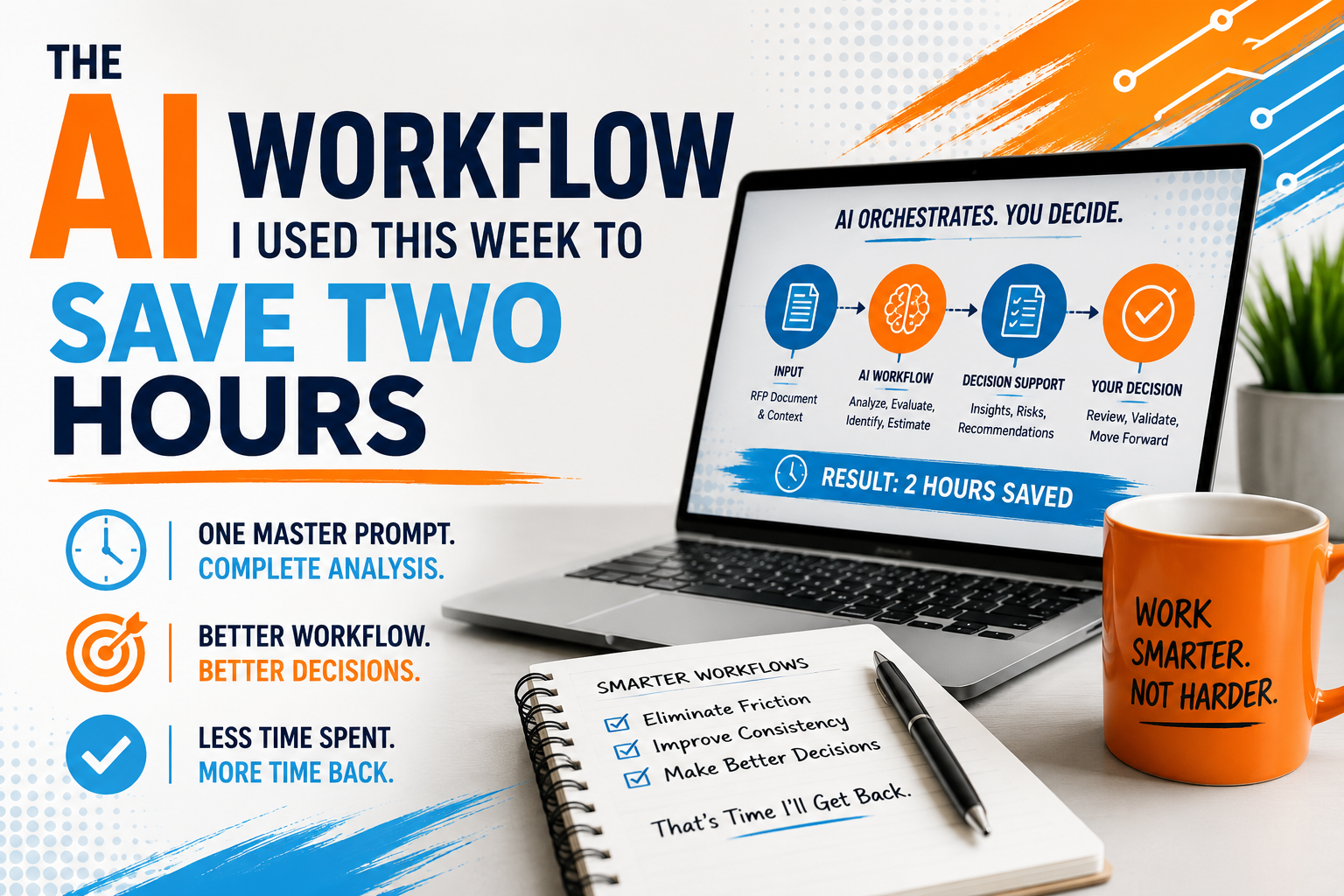
This week I saved about two hours on a client project by doing something that sounds almost too simple: I stopped using several separate AI prompts and turned them into one master prompt.
That's it. That's the big reveal.
No new app. No Zapier chain with twelve moving parts. No complicated dashboard with a name like NeuroPilot SynergyFlow 360. Just a better prompt, a better workflow — and a much better version of ChatGPT than the one most of us started using back in late 2022.
The work involved reviewing RFPs for a client. If you've ever dealt with RFPs, you know they can be equal parts business opportunity, scavenger hunt, and mild dental procedure. They're long. They're dense. They're often written by committees. Somewhere inside all that language is the answer to a very practical question:
Is this worth pursuing?
That question matters.
A bad-fit RFP can drain days of staff time. It can pull attention away from better opportunities. It can tempt smart people into chasing work they should have politely declined after the second paragraph.
When ChatGPT first launched on November 30, 2022, running on GPT-3.5, it felt like science fiction had escaped from the lab and started helping people write awkward LinkedIn posts.
For a lot of us, it was the first time we'd experienced software that felt genuinely conversational. You could ask it a question, push back, ask a follow-up and get something that sounded like it came from a reasonably bright human who had consumed the entire internet and a dangerous amount of coffee.
It was remarkable.
It was also inconsistent.
The earlier models were great for brainstorming, summarizing and drafting. They could help you turn a blank page into a bad first draft, which is one of the most underrated miracles in all of professional life.
But they weren't always reliable with more complex, multi-step workflows.
They could lose track of instructions mid-task.
They could drift.
They could give you a confident answer that sounded impressive right up until the moment you realized it had invented a fact, misunderstood the assignment or wandered off topic entirely.
I used to think of those earlier models as brilliant interns with short attention spans.
You could absolutely get good work from them — but you had to supervise closely.
Give them one task.
Check the work.
Give them the next task.
Check the work again.
Repeat until everyone was tired.
The biggest reason this workflow works today is that AI models have improved dramatically over the past few years.
GPT-3.5 (2022)
Excellent for brainstorming and first drafts, but inconsistent with longer reasoning tasks.
GPT-4 (2023)
More reliable, better reasoning and stronger writing quality.
GPT-4o (2024)
Faster, multimodal and conversational enough for everyday business work.
GPT-5 (2025)
Better reasoning, stronger planning and significantly improved instruction following.
GPT-5.5 (2026)
More capable at orchestrating complex workflows, maintaining context across long tasks and producing structured decision support with less prompting.
Future Models
Increasingly able to act as collaborative workflow partners rather than simple task assistants.
The important point isn't memorizing model numbers.
The important point is understanding that AI has quietly crossed a threshold.
Instead of asking it to perform isolated tasks, we can increasingly ask it to manage structured workflows.
That changes everything.
Until recently, my workflow looked something like this.
I'd ask ChatGPT to summarize an RFP.
Then I'd ask it to identify risks.
Then I'd ask it to identify opportunities.
Then I'd ask it to estimate effort.
Then I'd ask it to recommend whether we should bid.
Then I'd ask it to rewrite the recommendation into something a client could actually read.
None of those prompts were bad.
They all worked.
The problem was the handoffs.
Every prompt required me to:
That process worked.
It also required me to act as the project manager between every AI interaction.
The AI was helping.
I was still doing the orchestration.
This week I stopped thinking in prompts.
I started thinking in workflows.
Instead of asking six separate questions, I asked one larger question that contained all six tasks, defined the desired output and told ChatGPT exactly how I wanted the information organized.
Rather than producing one answer, it produced an entire decision-support package.
It summarized the RFP.
Identified strengths.
Highlighted concerns.
Estimated effort.
Flagged risks.
Suggested follow-up questions.
Made a recommendation.
Explained the reasoning behind that recommendation.
And presented everything in a format I could immediately review with my client.
That one change eliminated most of the friction between steps.
The AI wasn't just completing tasks anymore.
It was helping manage the workflow.
The change wasn't really about writing a better prompt.
It was about designing a better workflow.
Instead of treating AI like a very capable assistant waiting for individual assignments, I treated it like an analyst responsible for producing a complete work product.
The master prompt established the objective.
It defined the inputs.
It described the desired output.
It specified the order of operations.
It explained how conclusions should be supported.
It even instructed the AI to identify uncertainty rather than pretend certainty.
The result wasn't just faster.
It was more consistent.
Instead of six disconnected conversations, I had one coherent analysis that flowed naturally from beginning to end.
That's where today's models — and especially GPT-5.6 — begin to feel fundamentally different.
They can maintain context across longer assignments, follow structured instructions more reliably and produce work that feels coordinated rather than stitched together.
They're no longer just responding.
They're orchestrating.
Don't ask for one isolated answer.
Describe the complete responsibility.
Instead of:
"Summarize this RFP."
Try:
"Analyze this RFP, identify risks and opportunities, estimate implementation effort, recommend whether we should pursue it and explain your reasoning in an executive-ready report."
The AI performs better when it understands the destination before it starts the journey.
Good workflows produce consistent deliverables.
Tell the AI exactly what you expect.
For example:
When the structure stays the same, comparing projects becomes dramatically easier.
One of the biggest improvements in today's models is that they respond well to explicit reasoning instructions.
I often include guidance such as:
That doesn't guarantee perfection.
It dramatically improves transparency.
And transparency makes verification much easier.
The real insight wasn't that I built one very long prompt.
It was that I documented my own decision-making process.
Every time I found myself asking another follow-up question, I stopped and asked a different question:
Why am I asking this?
Eventually I realized I wasn't writing prompts.
I was documenting a workflow that had always existed in my head.
Once that workflow became explicit, AI could help execute it.
That's a very different way of thinking about prompt engineering.
It isn't about clever wording.
It's about designing repeatable systems.
You don't need a complicated project to use this approach.
Pick one recurring task you already do every week.
Maybe it's:
Instead of creating a new prompt every time, ask yourself:
If I were training a new employee to do this from start to finish, what instructions would I give them?
That's your workflow.
Now write it down.
Include:
You've just created the foundation of a master prompt.
The first version won't be perfect.
Neither was your first spreadsheet, your first sales presentation or your first attempt at assembling IKEA furniture without using the instructions.
The point is to improve it over time.
Every time you catch yourself asking another follow-up question, ask whether that instruction belongs in the master prompt instead.
Eventually, you'll stop having the same conversation with AI over and over again.
Here's the framework I now use whenever I want AI to handle a recurring workflow.
What decision or deliverable should exist when the workflow is finished?
What documents, notes, data or context does the AI need before it starts?
List the major steps the AI should perform.
Think like you're documenting a Standard Operating Procedure, not writing a clever prompt.
Tell the AI exactly how you want the final work organized.
Consistency is often more valuable than creativity.
Ask the AI to:
Those five instructions alone can dramatically improve the quality of complex outputs.
For the past few years, we've mostly used AI as a better search engine, a faster writer or a brainstorming partner.
Those are valuable uses.
But they're also just the beginning.
The bigger opportunity is using AI to help coordinate work rather than simply complete isolated tasks.
That's a different mindset.
Instead of asking:
"What can AI do for me?"
Start asking:
"What workflow can AI help me orchestrate?"
That question tends to produce much bigger gains than chasing the latest feature announcement.
Because the real productivity breakthrough isn't another model release.
It's learning how to combine your expertise with AI in a way that removes friction from work you already do every week.
That's where the real leverage begins.
Saving two hours wasn't really the point.
The point was discovering that I'd been designing my workflow around the limitations of older AI models instead of the capabilities of today's ones.
For years, the best practice was to break complex work into smaller prompts because the models needed more guidance.
That was the right approach.
It just isn't always the best approach anymore.
Today's AI can often manage an entire workflow if you clearly define the objective, provide the right context and specify the output you're looking for.
That doesn't eliminate the need for human judgment.
If anything, it increases its importance.
The AI can organize the work.
You still decide whether the conclusions make sense.
That's the partnership I find most exciting.
Not AI replacing expertise.
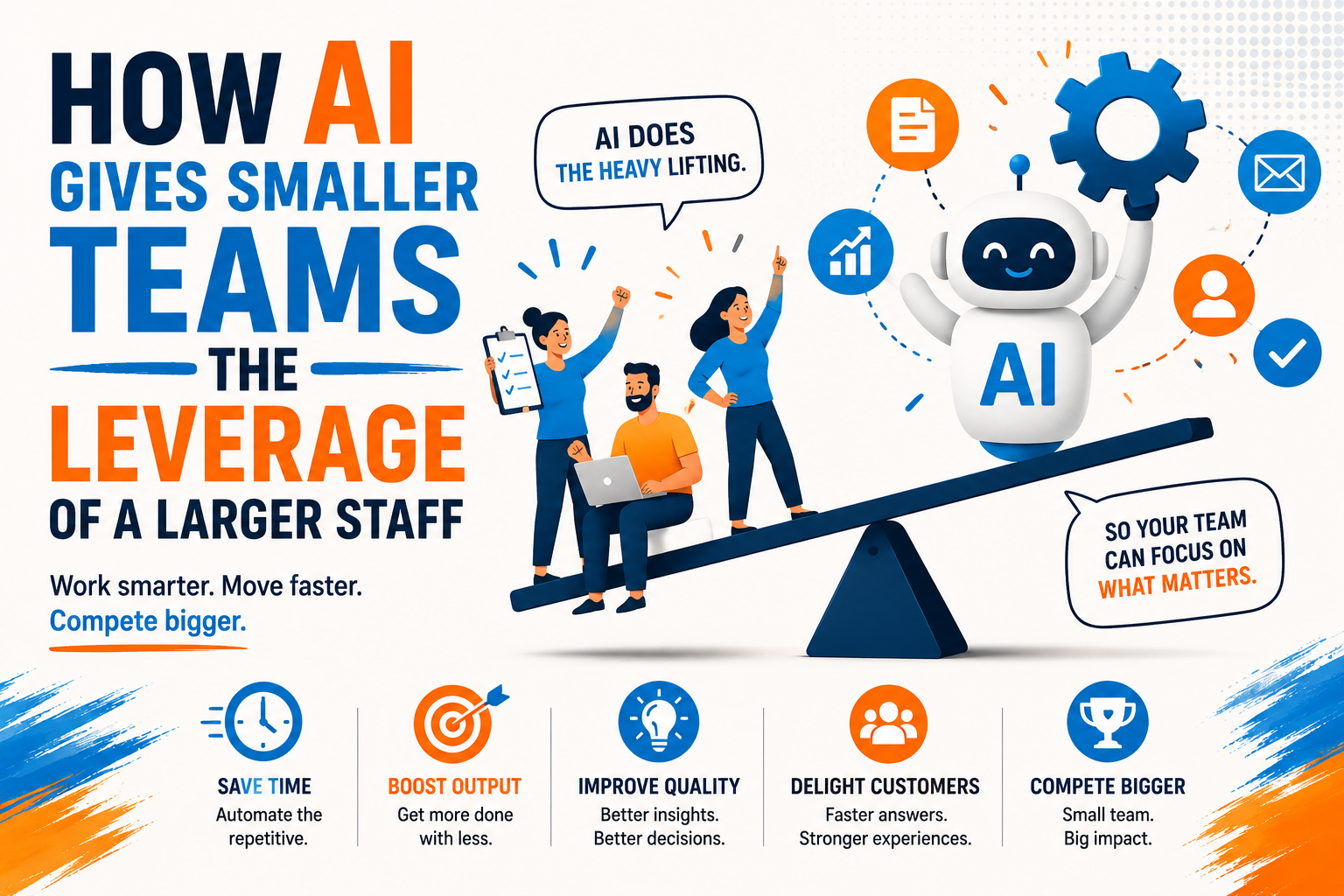
AI giving expertise more leverage.
The biggest productivity gains over the next few years won't come from discovering one magical prompt.
They'll come from identifying the workflows you repeat every week and redesigning them so AI can handle the repetitive parts while you focus on the decisions that actually require experience.
That's exactly what happened with my RFP workflow.
Two hours wasn't life changing.
But those two hours were spent thinking strategically instead of managing a chain of disconnected prompts.
And that's time I was happy to get back.
Most organizations don't have an AI problem.
They have a workflow problem that AI can help solve.
I work with businesses, nonprofits and growing teams to identify repetitive work, redesign it into AI-assisted workflows and build systems that save measurable time without sacrificing quality.
→ Schedule a strategy conversation at ClifDunn.com
[1] Ball, V.E., Schimmelpfennig, D., & Wang, S.L. (2022). The Drivers of U.S. Agricultural Productivity Growth. Federal Reserve Bank of Kansas City. Consumer-to-farmer ratio data: 13:1 in 1900, 159:1 in 2017.
[2] U.S. Bureau of Labor Statistics. Nonfarm Business Sector: Real Output Per Hour of All Persons (OPHNFB). Federal Reserve Bank of St. Louis (FRED). fred.stlouisfed.org/series/OPHNFB
[3] Dell’Acqua, F., McFowland, E., Mollick, E.R., et al. (2023). Navigating the Jagged Technological Frontier: Field Experimental Evidence of the Effects of AI on Knowledge Worker Productivity and Quality. Harvard Business School Working Paper 24-013.
[4] Brynjolfsson, E., Li, D., & Raymond, L.R. (2023). Generative AI at Work. NBER Working Paper 31161. nber.org/papers/w31161
[5] GitHub Research. (2023). Research: Quantifying GitHub Copilot’s Impact on Developer Productivity and Happiness. github.blog
[6] Hao, Q., Xu, F., Li, Y., & Evans, J. (2026). Artificial intelligence tools expand scientists’ impact but contract science’s focus. Nature, 649, 1237–1243. nature.com/articles/s41586-025-09922-y
I'm doing my part to ensure AI has a positive impact on your life and your business.


.png)

